Antimatter Dimensions EC12 Guide: How to Beat Eternity Challenge 12
EC12 is the late Eternity Challenge where preparation matters as much as raw production. The run is slow, other speed effects disappear, and the timer punishes an inefficient route. This guide turns the attempt into repeatable checks instead of a guess at a perfect build.
This Antimatter Dimensions EC12 guide starts with one rule: enter EC12 with a backed-up save, use the Time Dimension path, and treat the run as a timed production test. The challenge runs 1,000 times slower, disables other game-speed effects, and requires the goal before the challenge timer expires. If the first attempt loses time during setup, leave, improve the slowest layer, and retry rather than waiting for a stalled run to rescue itself.
The broad Eternity Challenges guide covers order and unlock context; this antimatter dimensions ec12 guide focuses on EC12's rules, the Time Dimension route, the fifth completion, and automation settings. Exact costs and formulas are version-sensitive, so confirm the live game text before a long attempt.
EC12 Guide Map
What EC12 Changes in Antimatter Dimensions
EC12 is not simply EC11 with a larger target. The game runs 1,000 times slower and other game-speed effects are disabled, so stacking speed bonuses is not the normal answer. The challenge rewards a clean Time Dimension route with enough reserve to survive the opening and still reach the goal before the timer ends.
The secondary requirement also points to the Time Dimension path. Treat it as a routing constraint: a build can look strong outside EC12 and still waste the challenge window if it depends on the blocked side of the tree.
Slow clock
The 1,000× slowdown makes early setup expensive. Enter with the production layers already prepared instead of building from a cold start.
Time path
The entry requirement points to the Time Dimension route. Keep the tree coherent so purchases support the path the challenge actually allows.
Finite attempt
A run can fail because it is too slow even when the target is technically reachable. Measure elapsed time and recovery, not only peak resources.
EC12 Entry and Time Dimension Path Checks
Before pressing the challenge button, make a checklist from the current save. EC12 has a late entry position, and the exact prerequisite can change with the version. Ask whether the save can buy entry, rebuild the required path, and keep enough production margin for a timed attempt.
Use the table as a gate. Export before testing a new route; time spent inside the challenge is the least reversible cost.
| Check | Why it matters | Action |
|---|---|---|
| Current EC12 text | Version-specific costs and wording are more trustworthy than an old screenshot. | Read the live requirement and note the completion count before entering. |
| Time Dimension route | The secondary requirement is built around the Time Dimension side of the tree. | Plan the path first; do not leave a mixed tree that spends points on blocked effects. |
| Recovery reserve | The slow clock magnifies every reset and rebuild. | Run one normal recovery cycle and keep a save export outside the game tab. |
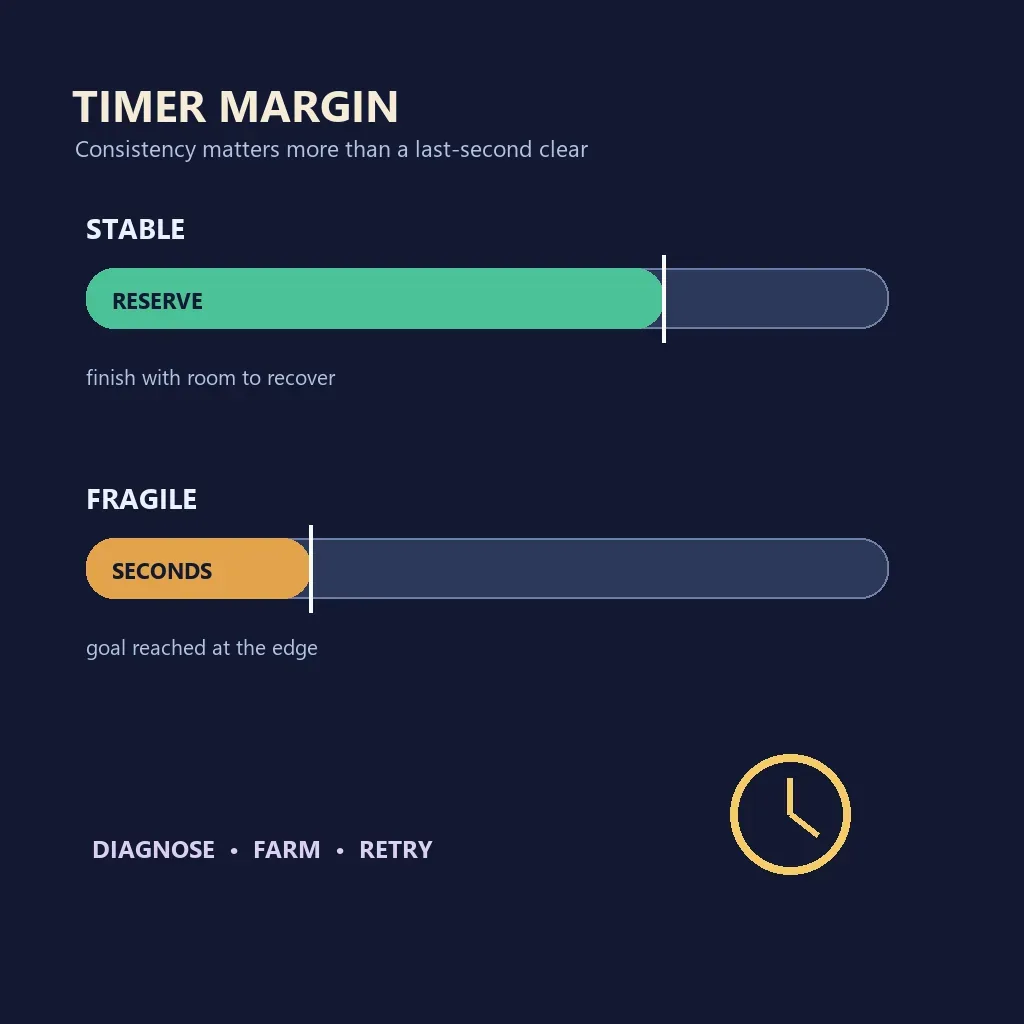
| Timer margin | A last-second clear is fragile. | Aim for a repeatable finish with visible time left. |
A Controlled EC12 Route That Saves Time
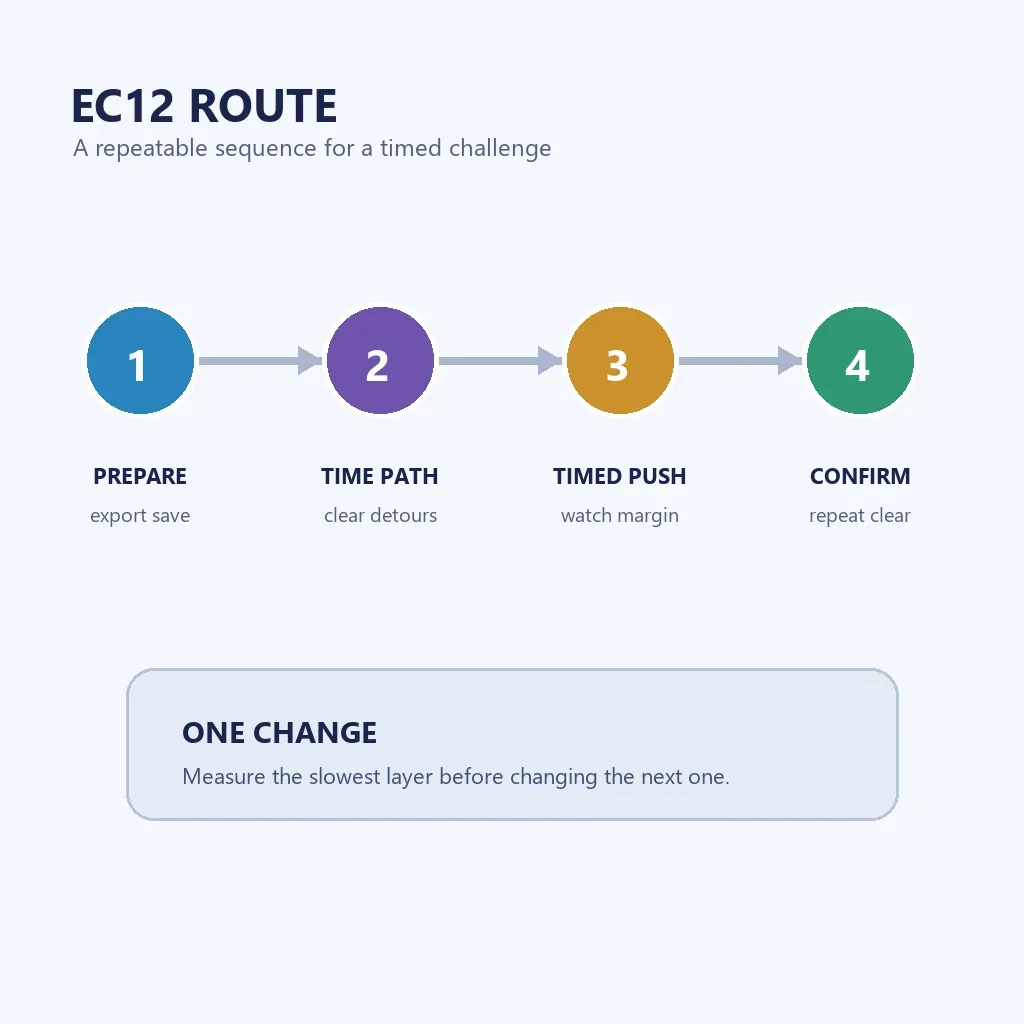
Treat the first EC12 attempt as a measurement run. Learn which layer consumes the window, then change one variable next time. Do not respec the tree, toggle every autobuyer, and change entry timing together.
Front-load decisions before the timer becomes stressful. Note the starting state and use the first stable checkpoint to decide whether to continue or reset.
- Export the save and record the EC12 completion count, Time Theorems, study path, and the resource that normally limits your Eternity run.
- Build the Time Dimension path before entry and remove purchases that only help the blocked side of the tree. Keep enough currency for the first recovery instead of spending everything on one peak multiplier.
- Enter with automation paused. Let the slowed production settle, then watch which layer fails to recover: Time Dimensions, Time Shards, Eternity Points, or the next reset threshold.
- Make one targeted change when the bottleneck is clear. A safer change is a path adjustment or resource reserve; a risky change is rewriting every reset rule while the timer is running.
- After a clear, export again and reproduce the route once. Restore automation only after the second run proves that the finish was not a lucky timing window.
How to Think About the EC12 Fifth Completion
Searches for EC12x5 ask a different question from the first-clear query. The fifth completion raises the secondary requirement and end goal while improving the reward, so a build that barely survives the first clear may be a poor farm because it spends too long rebuilding.
For the fifth run, prioritize consistency. Watch the first recovery, the next meaningful threshold, and the timer margin when production accelerates. If the route needs perfect clicks, automate only stable parts and keep a reset plan.
| Signal | Interpretation | Next move |
|---|---|---|
| Clear finishes with a wide time margin | The route has room for a higher completion target. | Keep the path and test one small optimization. |
| Clear finishes with seconds left | The setup is technically viable but not a safe repeatable farm. | Farm the slowest layer before attempting the next completion. |
| Timer expires after the same phase | The bottleneck is reproducible and should be measurable. | Change only the resource or study choice tied to that phase. |
| A new route clears once and then fails | The first result may have benefited from timing. | Export, repeat, and restore automation gradually. |
EC12 Troubleshooting: Find the Slowest Layer
When EC12 stalls, start with the earliest irreversible mistake. A late timer failure may come from an entry path that spent the reserve, a reset that fired too soon, or a study choice that improves the wrong resource. Read the failure in order: entry, production, reset, automation.
Use the live game text for exact mechanics. The table is a troubleshooting order, not a promise that every save uses the same numbers.
| Symptom | Likely cause | Fix |
|---|---|---|
| The opening barely moves | The route entered without enough Time Dimension reserve. | Leave, improve the pre-entry production cycle, and retry from the export. |
| A reset destroys the setup | An old Eternity, Big Crunch, or buyer threshold is too aggressive. | Pause automation and reproduce the checkpoint manually. |
| The target is close but the timer ends | The route has no margin after the final push. | Farm the slowest layer or remove a detour from the Time Study path. |
| A copied build gives different results | Version, completion count, or save state differs. | Trust live challenge text and compare the bottleneck instead of copying numbers. |
| The second attempt is worse | Several settings changed at once. | Restore the export and test one reversible change. |
Automation, Save Safety, and the Right Time to Retry
Automation is valuable after EC12 has a stable manual route. During diagnosis, a buyer or reset can spend the reserve needed by the next phase. Start paused or simplified, then restore one control while watching the timer and first recovery.
Retry when it tests a clear hypothesis, not when the same failure repeats and the only change is waiting. Export before a risky respec and use the broad guides when the problem is progression order rather than EC12.
- Pause Automatic Eternity, Big Crunch, and Galaxy rules for the first diagnostic run.
- Restore resource buyers before reset automation so you can see whether production actually recovers.
- Keep the Automator simple until the timed route is reproducible by hand.
- Save an export after a clear and before experimenting with a faster loop.
- If two attempts fail at the same phase, farm or change that phase; do not add random studies.
EC12 FAQ
What is the best EC12 setup in Antimatter Dimensions?
Use the Time Dimension path required by the current challenge, enter with a backed-up save and enough recovery reserve, then measure the slowest layer. There is no safe universal setup when versions, completion counts, and save states differ.
Why does EC12 run so slowly?
EC12 applies a 1,000× game-speed slowdown and disables other game-speed effects. That is why early preparation and a clean Time Dimension route matter more than a normal farming build.
How do I beat EC12x5?
Treat the fifth completion as a consistency test. Leave visible timer margin, compare the first recovery cycle, and farm the slowest layer if the route only clears with seconds left.
Should I use an Automator during EC12?
Use a simplified Automator only after the manual route is reproducible. Pause resets and buyers during diagnosis so automation does not hide the phase that consumes the timer.
Are EC12 costs and thresholds fixed?
Do not assume that old screenshots or copied guides match every version. Verify the live challenge text and use current community references for exact numbers; use this page for route decisions and stall diagnosis.
Sources and Version Notes
The strategy framing is paired with current challenge terminology. Exact requirements and formulas can change, so verify the visible game text before a long attempt.
- Antimatter Dimensions Wiki — Eternity Challenges — challenge rules, requirements, and reward references.
- Antimatter Dimensions Wiki — Time Studies — study paths and prerequisite context.
Bottom line: EC12 becomes manageable when the route is timed, backed up, and reproducible: use the Time Dimension path, protect the opening reserve, diagnose the slowest layer, and retry only after the next attempt has a clear reason to be faster.