Antimatter Dimensions Alchemy Guide: Aspects and Resources
Alchemy is easiest to understand as a goal-driven resource system: collect the right inputs, read the aspect effect, test one change, and keep the result that improves the next Reality milestone. This guide explains the loop without pretending that one old tier list fits every save.
The short Antimatter Dimensions alchemy answer is: Alchemy should support a measurable objective rather than become a second collection checklist. Name the bottleneck—Glyph quality, Reality speed, a Celestial restriction, or a resource threshold—then choose the aspect or resource interaction that can affect it. Export the save before changing a late-game setup.
Glyphs are the equipment you select for a Reality, Reality upgrades are permanent purchases made with Reality Machines, and Alchemy is a resource-and-effect layer around the run. Exact names, caps, costs, and formulas can change, so use the live game text for numbers. Compare the same milestone before and after one change, with Time Studies and automation stable.
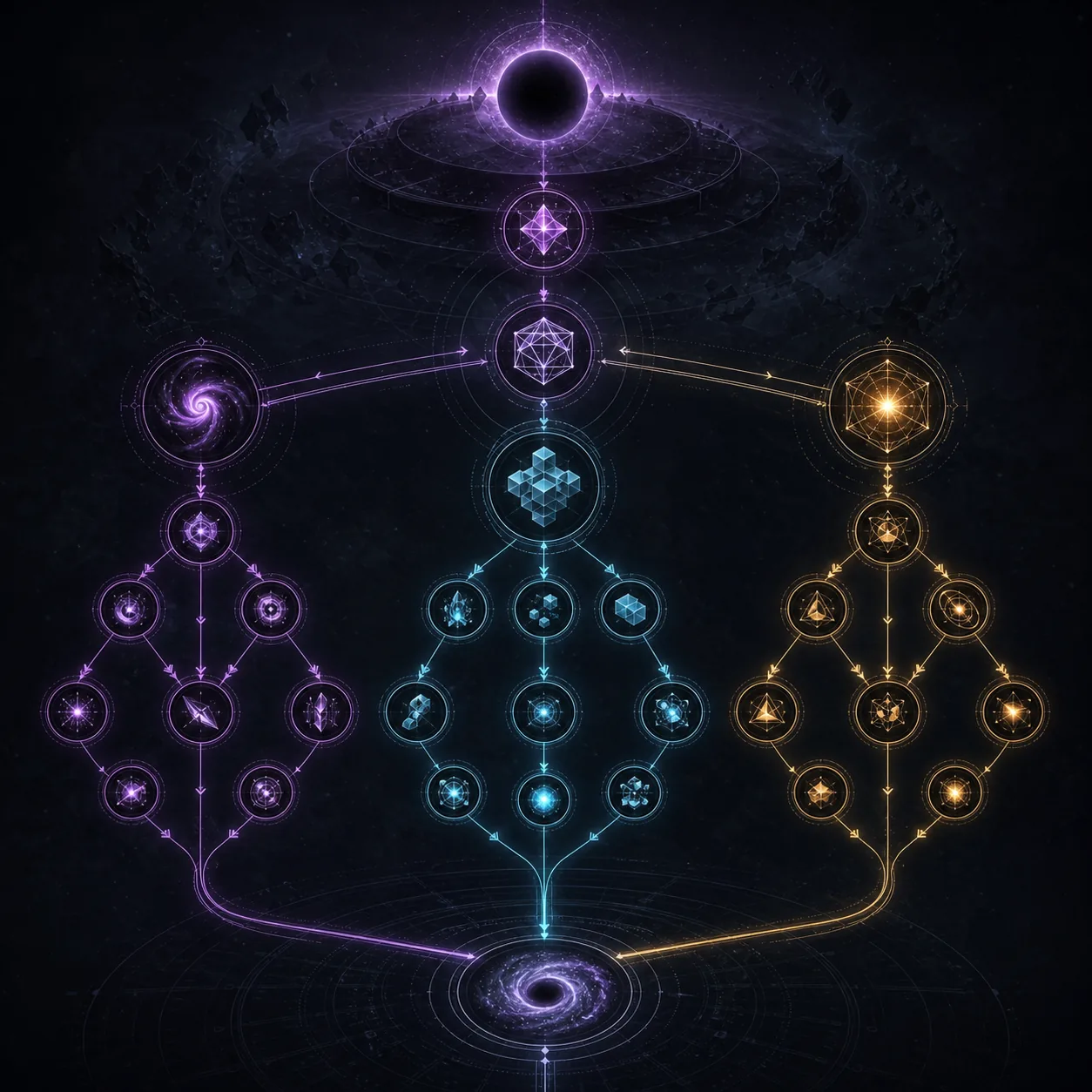
Alchemy Guide Map
What Alchemy Does in Antimatter Dimensions
Alchemy gives the Reality layer another way to turn preparation into progress. Instead of asking only which Glyph has the biggest number, ask which resource, aspect, or reaction changes the goal you are actually pursuing.
An aspect is a named effect category with a job in the build. Read the current effect, connect it to the next milestone, and remember the opportunity cost: a resource held for one reaction may be unavailable for another. A small controlled test is safer than a universal ranking copied from an older version.
Goal first
Name the next measurable milestone before choosing an aspect or spending a scarce resource.
Effects over labels
Read the live tooltip and check whether the effect changes the bottleneck.
Alchemy Resources, Aspects, and Storage Choices
Ask which input you can obtain reliably and what its output lets you do. A powerful resource that arrives too slowly may be weaker for farming than a modest effect that keeps the Reality loop moving. Track the source, the amount spent, and the milestone the result should change.
Keep inputs, aspects, and results separate when reading the interface. If storage is tight, mark the resources reserved for a known route before removing duplicates or experiments. Export before cleanup, especially when the next target is a restricted run.
| Layer | What to inspect | Useful question | Common risk |
|---|---|---|---|
| Input resource | Source, return speed, and reserve | Can I replace it after the attempt? | Spending a scarce input on a one-off test |
| Aspect | Current effect and requirements | Does it touch the bottleneck? | Choosing by rarity or an old tier list |
| Result and storage | Output, caps, and protected items | What must remain for the next route? | Cleaning before exporting |
How to Read Alchemy Reactions Without Guessing
A reaction is useful only when you can explain its job before activating it. Start with the input and output, then ask whether the output belongs to your current route. If the answer is vague, keep the resource and read the live tooltip or a maintained reference.
Export the save, repeat a familiar milestone with the old setup, then make only the Alchemy change. Compare the same checkpoint again. If the result appears once but not twice, treat it as timing or reserve noise until the route is reproducible.
- Export the save and write down the current target, Glyph set, Time Study path, and automation state.
- Choose one aspect or resource interaction that has a direct connection to the target.
- Repeat a familiar milestone with the old setup and note time, resource gain, and the first slow phase.
- Activate the Alchemy change, repeat the same milestone, and keep it only if the result is understandable and repeatable.
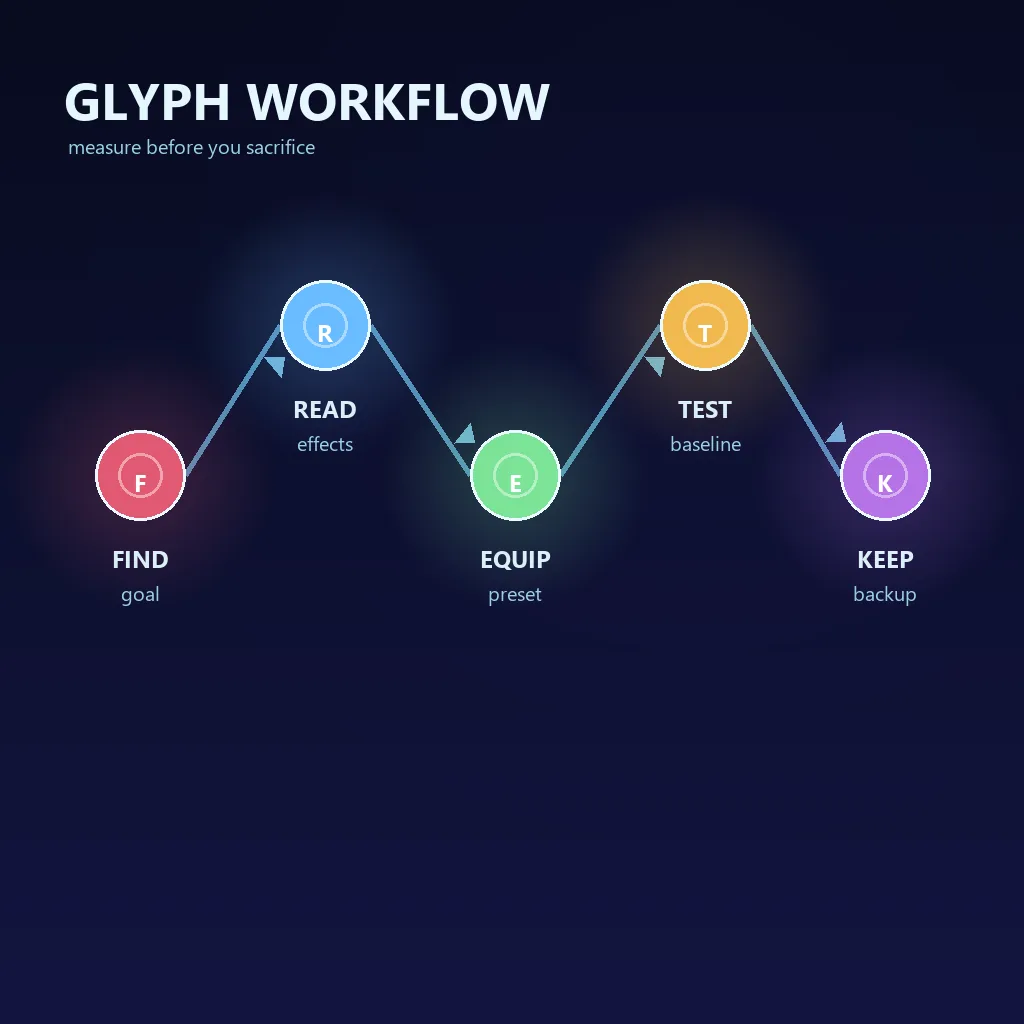
A Practical Antimatter Dimensions Alchemy Strategy
For farming, favor an effect that shortens the repeatable loop. For a Glyph push, value the effect that supports the needed set. For a Celestial attempt, read the restriction first. The same aspect can move up or down because the goal changed.
Measure the smallest useful target: full Reality time, progress through a restriction, or recovery after a reset. Do not confuse Alchemy with permanent Reality upgrades or Perks. When two choices are close, prefer the one with a clearer recovery path and a replaceable input.
| Goal | Start by valuing | Measure | Do not assume |
|---|---|---|---|
| Reality farming | Reliable cycle speed and recovery | Time for the same repeatable milestone | A high peak number means a faster farm |
| Glyph preparation | The effect that supports the needed set | How consistently the set reaches the target | Every good Glyph route uses the same aspect |
| Celestial attempt | Effects that remain useful under the restriction | Progress through the exact condition | A farming setup is automatically legal here |
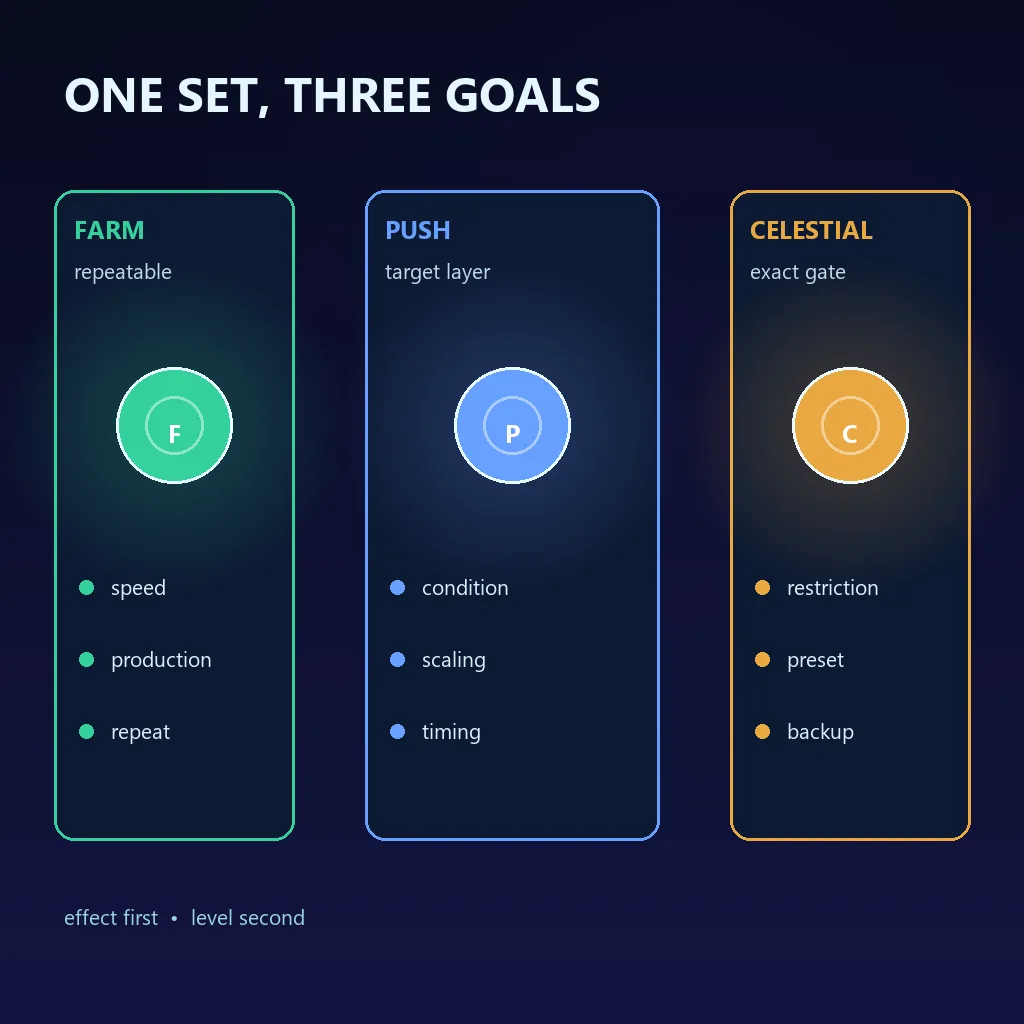
Alchemy Troubleshooting: Why a Result Feels Stalled
When Alchemy appears to do nothing, check the test before discarding the system. The effect may touch a layer that is not currently limiting the run, or another threshold may have changed at the same time.
Find the slowest phase. A weak opening points to reserve or preparation; a weak final push points to the wrong effect; a one-time success points to timing. Use the table to choose one reversible next test instead of changing the whole build.
| Symptom | Likely cause | Safer next action |
|---|---|---|
| The effect is visible but the Reality time does not improve | Another layer is slower than the layer Alchemy changes | Keep the export, identify the slowest phase, and retest a matching target |
| The first attempt improves and the second fails | The result depended on timing or a different reserve | Repeat from the same baseline before changing the aspect |
| The resource disappears faster than expected | A reaction or route is consuming the reserve | Pause cleanup, check the live description, and restore if the goal is unclear |
| A copied setup does not match the guide | Version, completion count, Glyphs, or automation differs | Compare the bottleneck and current tooltip rather than copying old numbers |
A Repeatable Alchemy Workflow for Each Reality
Alchemy should become a small part of the normal loop, not constant micromanagement. Keep a farming setup, a special-purpose setup, and an experimental note so you can return to a known baseline.
Before a change, record the target, input, aspect, and success condition. Test the baseline, make one change, compare the same milestone, then keep, revise, or restore the setup.
- Name the milestone: farm speed, Glyph quality, a resource gate, or a specific Celestial condition.
- List the Alchemy input and aspect that should affect that milestone, plus the resource you must protect.
- Export the save and capture the current Glyphs, Time Studies, automation, and first slow phase.
- Run the baseline, make only the Alchemy change, repeat the same milestone, and keep, revise, or restore the setup.
Common Alchemy Mistakes and Better Fixes
Most Alchemy mistakes are planning mistakes. Do not copy a fixed tier list, change Glyphs and Alchemy together, spend every reserve, or judge a reaction from one lucky run. Name the layer you are changing, export first, and let repeatable measurements decide whether the choice belongs in the permanent setup.
| Mistake | Why it hurts | Better fix |
|---|---|---|
| Copying a fixed tier list | It may assume another version or goal | Translate the effect into a milestone on your save |
| Changing Glyphs and Alchemy together | The cause of the result is unclear | Hold the Glyph set stable first |
| Spending every reserve | The next route loses its input | Keep an emergency amount until the target is clear |
Antimatter Dimensions Alchemy FAQ
What is Alchemy in Antimatter Dimensions?
Alchemy is a Reality-era resource and effect system. You collect or reserve inputs, evaluate aspects and reactions, and use the resulting benefit to support a measurable goal such as a faster Reality, a Glyph route, a resource threshold, or a restricted Celestial attempt.
What are the best Alchemy resources in Antimatter Dimensions?
There is no single best resource for every save. Choose the input and aspect that affect your current bottleneck and can be replaced or repeated after the test.
How should I test an Alchemy aspect?
Export the save, repeat a familiar milestone with the old setup, change only the Alchemy choice, and repeat the same milestone. Compare the full cycle and the slowest phase, not only a peak number or one lucky result.
Is Alchemy the same as Glyphs or Reality upgrades?
No. Glyphs are selected equipment, Reality upgrades are permanent purchases, and Alchemy is a resource-and-effect layer around the run. They interact but should be tested separately.
Why can Alchemy work for farming but fail in a Celestial challenge?
A restriction can disable the effect or change the slowest layer. Read the requirement first, then test a smaller legal setup against that exact condition.
Sources and Version Notes
Names, effects, caps, and interface details can change. Check the live game text first.
- Official Antimatter Dimensions source repository for implementation context and current interface behavior.
- Antimatter Dimensions Wiki — Alchemy for maintained terminology and version-sensitive mechanics.
- Antimatter Dimensions on Steam for first-party game context and the live product listing.
- Antimatter Dimensions community discussions for player context only; verify exact mechanics in the current game.
Bottom line: use Alchemy to solve a named bottleneck, protect the resources needed by the next route, test one change against the same milestone, and keep a reversible record. The best aspect is the one that makes your current Reality more repeatable—not the one with the most impressive old screenshot.