Antimatter Dimensions EC9 Guide: Beat Eternity Challenge 9
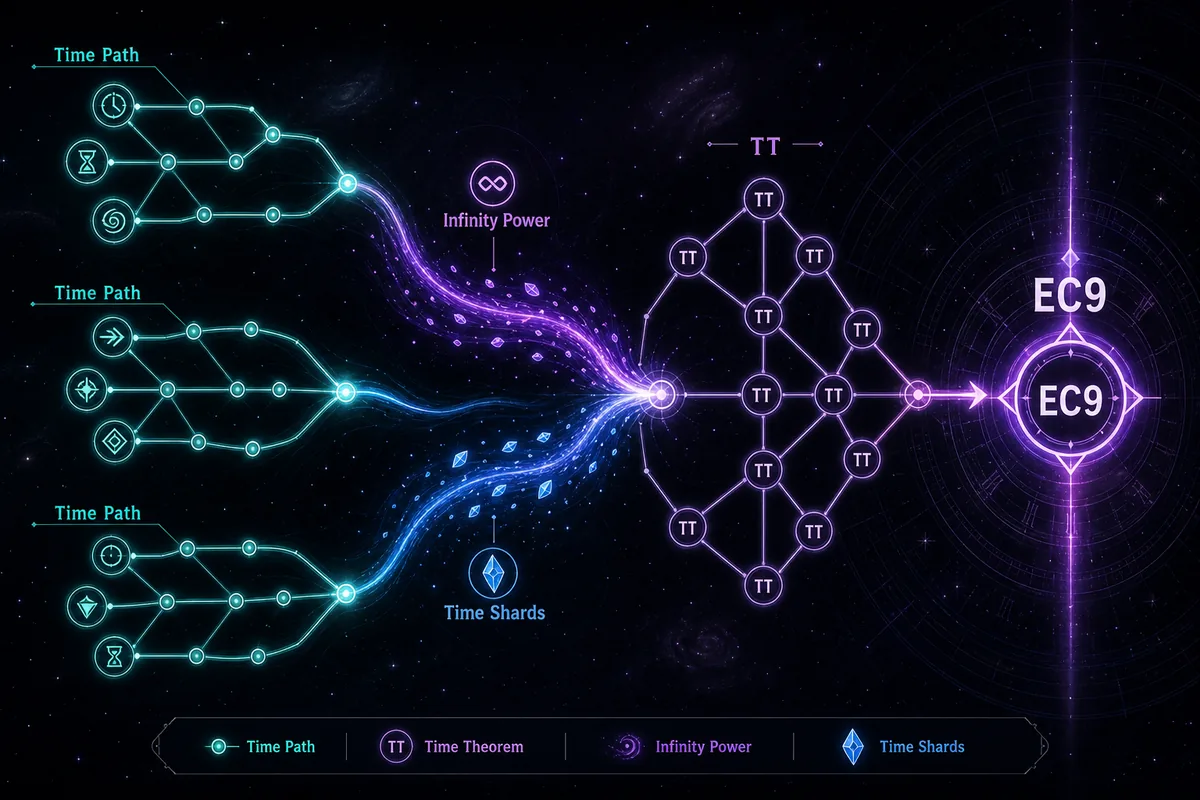
EC9 is the Eternity Challenge that makes many players stop using their normal Tickspeed habits and start thinking about Infinity Power, Time Shards, and the study path that actually carries the run. This guide explains when to attempt EC9, how to set up the run, and how to recover when progress stalls.
Short answer: do not treat EC9 like a normal Eternity farm. Back up your save, confirm that earlier Eternity Challenge rewards and Time Theorems are already doing work, then enter EC9 with a route that leans on Infinity Power and Time Shards instead of expecting Tickspeed upgrades to solve the wall. If production stays flat after a few recovery cycles, leave, farm more EP or TT, and retry from a clean setup.
The broad Eternity Challenge page on this site explains the EC1-EC12 order. This EC9 page is narrower on purpose: searchers looking for “antimatter dimension ec9” usually need a specific plan for why EC9 feels different, which signals mean the save is ready, and what to check before spending a long session in a stalled challenge.
Quick Navigation
Fast Answer for EC9
EC9 disables Tickspeed upgrades, so the run feels strange if your normal Eternity progress depends on Tickspeed snowballing. Your goal is to enter with enough earlier EC rewards, Time Theorems, Infinity Dimension strength, and Time Shard momentum that the missing Tickspeed button is not the whole run. The first good attempt should show visible Infinity Power growth, then Time Shard recovery, then a clearer push toward the goal.
Practical rule
If EC9 feels motionless, do not wait for hours. Exit, farm more Time Theorems or Eternity Points, check the study path, and restart from a backed-up save.
When Should You Try EC9?
EC9 belongs in the mechanic-heavy part of Eternity Challenges. It usually makes sense after the early EC completions are no longer the main wall and your Time Study tree has enough flexibility to rebuild around the challenge. Use the signals below before committing to a long run.
| Signal | What it means | Action |
|---|---|---|
| Earlier EC completions are useful | Your save already has reward leverage from easier Eternity Challenges. | Try EC9 only after the broad EC route is not leaving easy rewards untouched. |
| Time Theorems are tight but flexible | You can buy the EC9 entry and still rebuild a meaningful study path. | Export a save, unlock the challenge, respec if needed, then enter with a clean path. |
| Infinity Power and Time Shards grow after resets | The parts EC9 leans on are already recovering instead of staying flat. | A test attempt is useful because the challenge can now teach timing. |
| Everything depends on Tickspeed | Your normal setup may collapse when Tickspeed upgrades are unavailable. | Delay EC9, farm more EP/TT, and clear easier completions before retrying. |
EC9 Setup Checklist
A good EC9 attempt starts before clicking the challenge button. The setup is mostly about making the run reversible and making sure you can see which resource is actually carrying production.
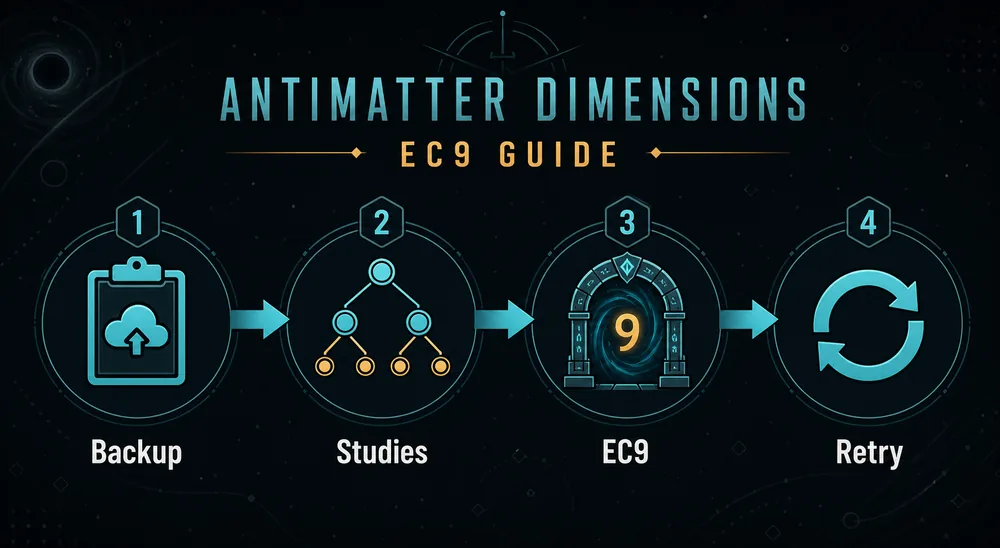
- Export your save before buying the challenge study or changing the Time Study tree.
- Check the current EC9 restriction text in your game version so you know exactly what is disabled.
- Make sure easier EC completions, Infinity upgrades, and Time Study purchases are not obviously missing.
- Unlock EC9, then respec if the unlocking path is not the best path for the run itself.
- Watch Infinity Power and Time Shards during the first recovery cycle instead of staring only at antimatter.
- Change one automation or study choice at a time so a failed attempt still tells you what went wrong.
A Practical EC9 Route
Exact numbers vary by save, so use this as a decision route rather than a single script. The important part is to separate readiness, entry, recovery, and stall diagnosis.
| Phase | What to watch | Best move |
|---|---|---|
| Before entry | Available Time Theorems, earlier EC rewards, and whether the EC9 requirement is met cleanly. | Back up the save and avoid spending every theorem on a path that only unlocks the challenge. |
| First recovery | Infinity Power and Time Shards after the opening production dip. | Let the run rebuild long enough to see whether the replacement resource flow is real. |
| Mid attempt | Whether production improves after each study or automation adjustment. | Keep the setup stable; do not change several autobuyers and studies at once. |
| Stall check | Several minutes with no meaningful movement in the resources that should carry EC9. | Exit, farm, restore the clean setup, and try again with more EP/TT or earlier EC rewards. |
The mistake is assuming that a slow EC9 run is always almost solved. Sometimes it is. More often, a flat EC9 run is feedback that the save entered too early or that the study path was built for unlocking instead of beating.
Why EC9 Stalls and How to Fix It
A stalled EC9 attempt usually has a concrete cause. Use this table before replacing your entire Eternity strategy.
| Problem | Likely cause | Fix |
|---|---|---|
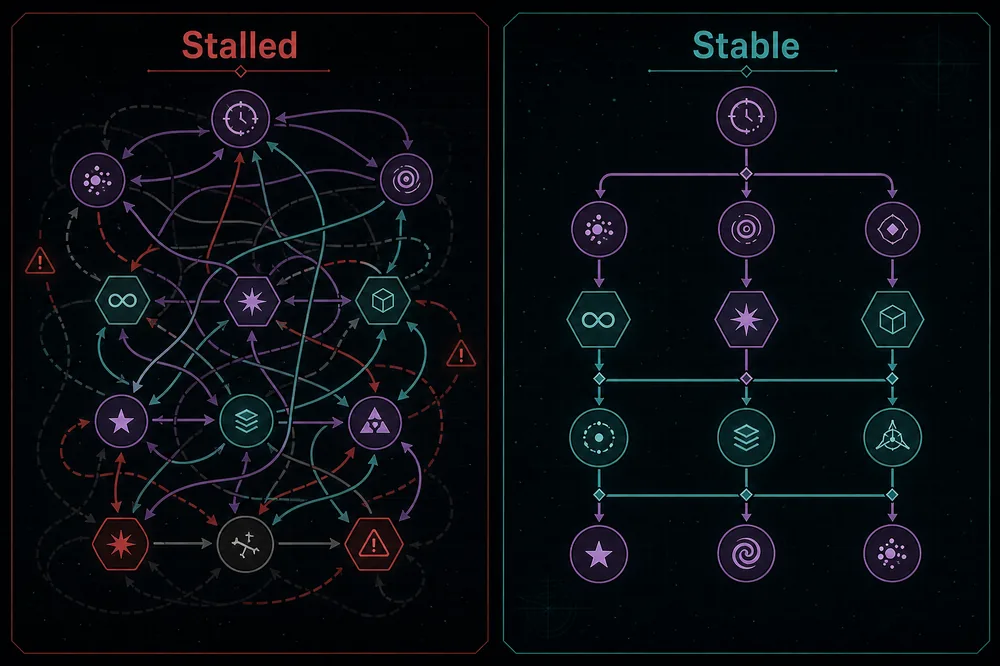
| The run starts moving, then goes flat | The setup had enough opening momentum but not enough sustained Infinity Power or Time Shard growth. | Leave, farm more EP/TT, and return after another useful EC completion or study upgrade. |
| The challenge feels impossible immediately | The save is still too dependent on Tickspeed upgrades or missing earlier rewards. | Do easier EC completions first and use the broad Eternity Challenge guide to check the route. |
| Changing studies makes the run worse | The unlock path and the completion path are being mixed without testing. | Restore the backup, rebuild one path at a time, and compare the first recovery cycle. |
| Automation hides what is happening | Autobuyers or crunch behavior are firing before you can see which resource stalled. | Slow the test run, watch Infinity Power and Time Shards, then re-enable automation gradually. |
| Old advice does not match your screen | Challenge wording, save state, and platform timing can differ across versions and posts. | Verify the restriction in-game and use current community wiki tables for exact requirements. |
FAQ
What does EC9 disable in Antimatter Dimensions?
EC9 is commonly remembered as the Eternity Challenge where Tickspeed upgrades are not the normal solution. Always read the restriction text in your current version before routing the attempt, because the exact wording matters.
Should I do EC9 as soon as it unlocks?
Usually no. Unlocking EC9 proves that the entry condition is reachable, not that the completion will be efficient. If the first recovery cycle is flat, farm more EP or TT and return later.
Is EC9 harder than EC8?
For many saves, EC9 feels harder because it changes the resource focus instead of simply limiting upgrades. EC8 is about spending limited upgrades carefully; EC9 is about replacing the missing Tickspeed momentum.
What should I watch during EC9?
Watch Infinity Power and Time Shards as well as antimatter. If those resources do not recover after the opening dip, the attempt probably needs a stronger baseline or a better study path.
Can a save editor help with EC9?
Use the save editor for backups and inspection only. Editing challenge state directly can make the save inconsistent and removes the routing feedback you need for later Eternity progress.
Bottom line: EC9 is not a patience test. It is a readiness and routing check: back up, enter with enough Time Theorem flexibility, watch Infinity Power and Time Shards, and leave when the run stops giving useful information.